

Download LoiLo Game Recorder – Free, Secure Game Capture Tool for Windows & Mac
Looking to record your gameplay with ease and start your journey toward becoming a YouTube superstar? LoiLo Game Recorder is the perfect free tool for gamers and content creators who want to capture high-quality footage from their PC games—no complex setup required. This lightweight, user-friendly software allows you to record gameplay in real time, even while streaming or playing multiplayer games.
Whether you're recording a fast-paced FPS, a strategy RPG, or a casual mobile game via emulator, LoiLo Game Recorder delivers smooth performance with minimal system impact. With built-in support for live commentary via microphone, you can narrate your gameplay, making your videos more engaging and personal. The intuitive interface ensures that even beginners can start recording in seconds.
With customizable settings for resolution, frame rate, and video quality, you have full control over output without needing advanced technical knowledge. Best of all, it’s completely free—no watermarks, no hidden fees, and no trial limitations. Whether you're streaming on Twitch, uploading to YouTube, or sharing clips on social media, LoiLo Game Recorder is your go-to solution for effortless, high-quality gameplay capture.
Key Features of LoiLo Game Recorder
LoiLo Game Recorder stands out in the crowded market of screen recording software thanks to its powerful yet simple feature set. One of the most praised aspects is its lightweight design, which ensures minimal CPU and GPU usage—perfect for older or mid-range systems that might struggle with heavier alternatives like Bandicam or OBS Studio. The software runs smoothly in the background, allowing you to play demanding games without noticeable lag.
Another standout feature is real-time microphone recording, enabling you to add live commentary directly into your video. This is ideal for Let’s Play videos, tutorials, or walkthroughs, where voice-over enhances viewer engagement. You can easily adjust microphone levels and monitor your voice in real time to avoid clipping or distortion.
Customization is a major strength. LoiLo lets you choose your recording resolution (from 720p to 1080p), set frame rates (up to 60 FPS), and adjust video quality to balance file size and clarity. You can also select specific game windows or full-screen capture modes, giving you flexibility based on your setup.
The simple hotkey system allows you to start, pause, and stop recording with just a few keystrokes—no need to navigate menus mid-game. Additionally, the software supports auto-saving and folder organization, so your recordings stay tidy and easy to find. While it lacks advanced editing tools, its seamless integration with video editors like DaVinci Resolve or Filmora makes post-production a breeze.
For content creators who value efficiency and simplicity, LoiLo Game Recorder delivers a powerful, no-frills experience that just works.
How to Install and Use LoiLo Game Recorder
Getting started with LoiLo Game Recorder is a breeze, even for users with no prior experience in screen recording. First, visit the official website and download the free installer compatible with both Windows 7 and later (including Windows 10 and 11). The file is small and secure—no bundled adware or third-party toolbars.
Once downloaded, run the installer and follow the on-screen prompts. The installation process takes less than a minute and doesn’t require admin rights in most cases. After installation, launch the app and you’ll be greeted with a clean, minimal interface that focuses on essential controls.
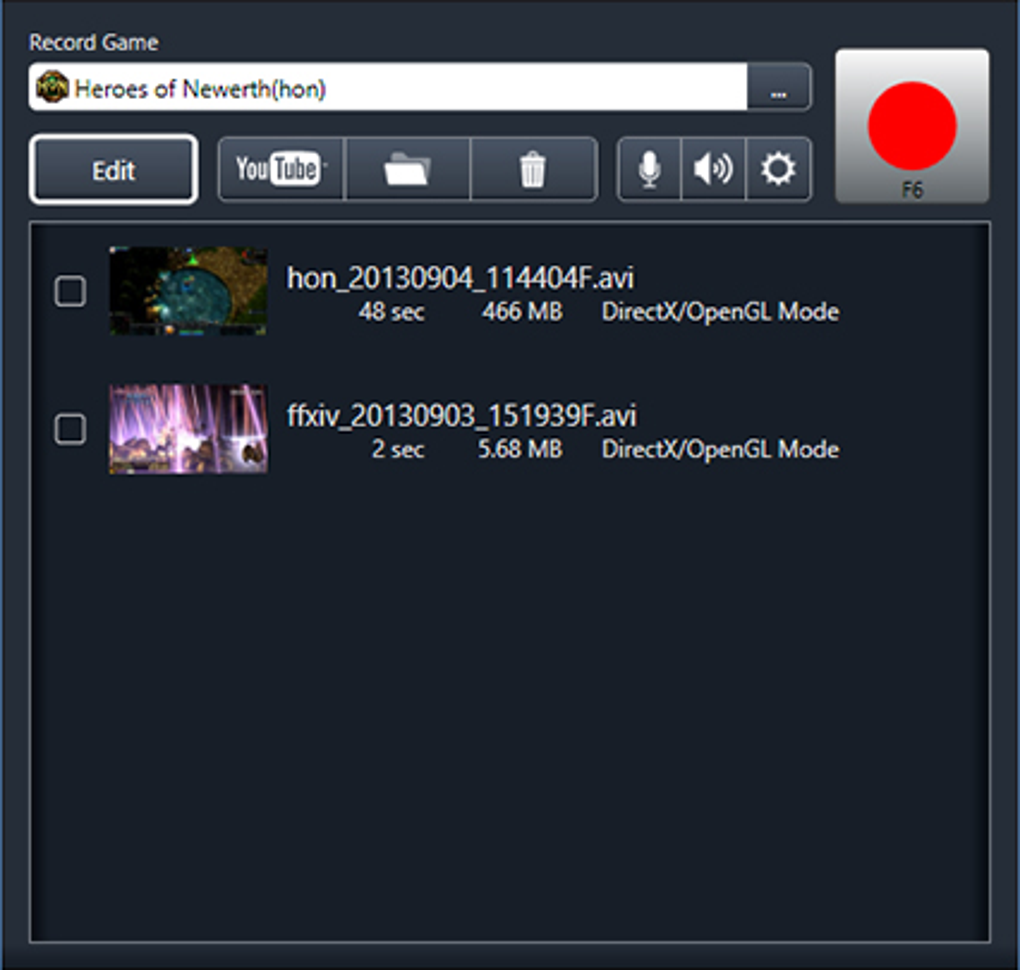
To begin recording, simply click the “Start Recording” button or use the customizable hotkey (default is Ctrl+Shift+R). You can choose between full-screen capture or window capture, depending on whether you're recording a game in full screen or a specific application. Before starting, adjust your settings: select your desired resolution (720p, 1080p), frame rate (30 or 60 FPS), and audio source (system audio, microphone, or both).
For commentary, ensure your microphone is properly connected and tested in the audio settings. Once everything is set, hit record and dive into your game. When you’re done, press the stop key or click the stop button.
The video is automatically saved to your chosen folder, typically in MP4 format—compatible with YouTube, Vimeo, and most video platforms.
For advanced users, you can also set up auto-start recording when a specific game launches, or schedule recordings via batch mode. The software also includes a preview window that shows your recording in real time, helping you monitor quality and performance. Since LoiLo is free and lightweight, it’s ideal for streamers who want a backup recording tool or beginners who don’t want to invest in expensive software. With its straightforward workflow, you can go from zero to recording in under 30 seconds.
Compatibility and System Requirements
LoiLo Game Recorder is designed to work seamlessly across a wide range of systems, making it accessible to most PC users. It supports Windows 7, Windows 8, Windows 10, and Windows 11, ensuring compatibility with both older and modern machines. The software is optimized for Intel and AMD processors, and it runs efficiently on systems with as little as 4GB of RAM—perfect for budget laptops or older desktops. It doesn’t require a dedicated graphics card, though having one improves performance, especially at higher resolutions and frame rates.
For users on Mac, LoiLo Game Recorder is not officially available. However, many Mac users run Windows via Boot Camp or virtualization software like Parallels or VMware, where the app works perfectly. If you’re on a Mac and need a native alternative, consider ScreenFlow or Camtasia, but these are paid tools.
LoiLo’s focus remains on the Windows platform, where it delivers consistent performance and reliability. The app is also compatible with popular game emulators like BlueStacks and LDPlayer, allowing mobile gamers to record Android games on their PC. This makes it a versatile tool for both console-style and mobile gaming content creators.
One of the biggest advantages of LoiLo is its low system footprint. Unlike some screen recorders that consume 20%+ of your CPU, LoiLo typically uses less than 5% during recording, leaving more resources for your game. This ensures smoother gameplay and longer recording sessions without crashes or stuttering. The software also supports multiple audio inputs, including stereo mix, microphone, and system audio, giving you full control over your video’s sound quality. With regular updates, LoiLo continues to improve compatibility with new games and Windows updates, ensuring long-term usability.
Pros and Cons of LoiLo Game Recorder
- Pros:
- Completely free with no watermarks or time limits
- Lightweight and low system resource usage
- Simple, intuitive interface ideal for beginners
- Supports live microphone commentary
- Customizable recording settings (resolution, FPS, quality)
- Fast installation and setup
- Works well with emulators and full-screen games
- Regular free updates for bug fixes and compatibility
- Cons:
- Limited to Windows platform (no native Mac version)
- No built-in video editing tools
- Cannot record multiple monitors simultaneously
- Basic audio mixing options (no noise reduction)
- File output is limited to MP4 (no AVI or MOV support)
Frequently Asked Questions (FAQ)
Is LoiLo Game Recorder really free?
Yes, LoiLo Game Recorder is completely free to download and use. There are no trial periods, no hidden charges, and no watermarks on your recordings. You can record unlimited videos with full access to all features—perfect for aspiring YouTubers and casual gamers.
Can I record gameplay with my voice commentary?
Absolutely. LoiLo Game Recorder allows you to record both your game screen and microphone audio simultaneously. You can adjust microphone levels, monitor your voice in real time, and ensure your commentary is clear and well-balanced with game audio.
Does LoiLo work with game emulators?
Yes, LoiLo Game Recorder works perfectly with Android game emulators like BlueStacks, LDPlayer, and Nox Player. This makes it a great choice for mobile gamers who want to record and share gameplay from titles like Genshin Impact or PUBG Mobile on PC.
What file formats does LoiLo support?
LoiLo Game Recorder saves recordings in MP4 format by default. While it doesn’t support AVI or MOV, MP4 is widely compatible with YouTube, Vimeo, social media platforms, and video editors, so you won’t face compatibility issues.
Is LoiLo safe to download?
Yes, LoiLo Game Recorder is safe to download from its official website. The installer is clean, free from malware, adware, or bundled software. Always download from the official source to ensure security and avoid third-party versions that may contain unwanted programs.
Final Verdict: Why You Should Download LoiLo Game Recorder Today
If you're looking for a free, secure, and easy-to-use game recording tool, LoiLo Game Recorder is one of the best options available. It’s ideal for beginners, casual gamers, and content creators who want to start their YouTube or Twitch journey without spending a dime. Its lightweight design ensures smooth gameplay, while the ability to record live commentary adds a personal touch to your videos. Although it lacks advanced editing features and is limited to Windows, its simplicity and reliability make it a top contender among free screen recorders.
Whether you're recording a new game, creating a tutorial, or sharing a funny moment from your session, LoiLo Game Recorder delivers consistent performance with minimal hassle. With regular updates and a growing user base, it continues to evolve and stay relevant. If you're ready to capture your gaming moments and share them with the world, don’t wait—download LoiLo Game Recorder today and take your first step toward becoming a YouTube superstar.
Download now and start recording your next big moment—free, fast, and secure.







